
Download Advanced File and Replace – file search, text replacement, document management, office files, web content, on-the-go editing, search tool, productivity tool
Overview
Advanced File and Replace is a specialized productivity tool designed to streamline document management and content editing tasks on mobile devices. The app enables users to perform complex searches across Office text files and various websites, allowing for precise identification of specific content elements. This functionality is particularly useful for professionals, researchers, and content managers who frequently handle large volumes of structured data across multiple formats. By supporting both file-based and web-based content, the app serves as a unified solution for locating and modifying information in real time.
Its core purpose lies in enhancing efficiency by reducing the time spent manually scanning documents or web pages. The app is tailored for users who need to locate specific phrases, patterns, or metadata within extensive libraries, whether stored locally or accessed online. Despite its advanced capabilities, the tool is designed with accessibility in mind, featuring an in-app tutorial to guide new users through its interface and functions. This makes it suitable for both technical and non-technical users seeking to automate repetitive search and replace tasks.
Developed by Eddie C. Reardon, the app has been available since 2012, indicating a long-standing presence in the productivity category. While the developer did not provide additional technical details, the app’s continued availability suggests a stable and functional design. It plays a niche but valuable role in the mobile productivity ecosystem by offering a lightweight, focused tool for content manipulation without the overhead of full-featured office suites.
Key Features & Functionality
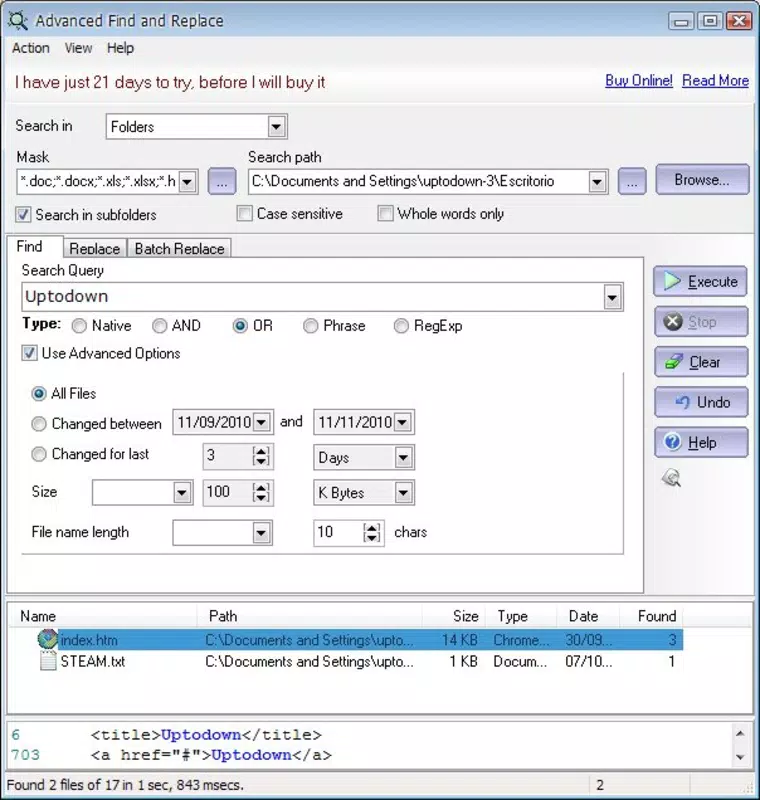
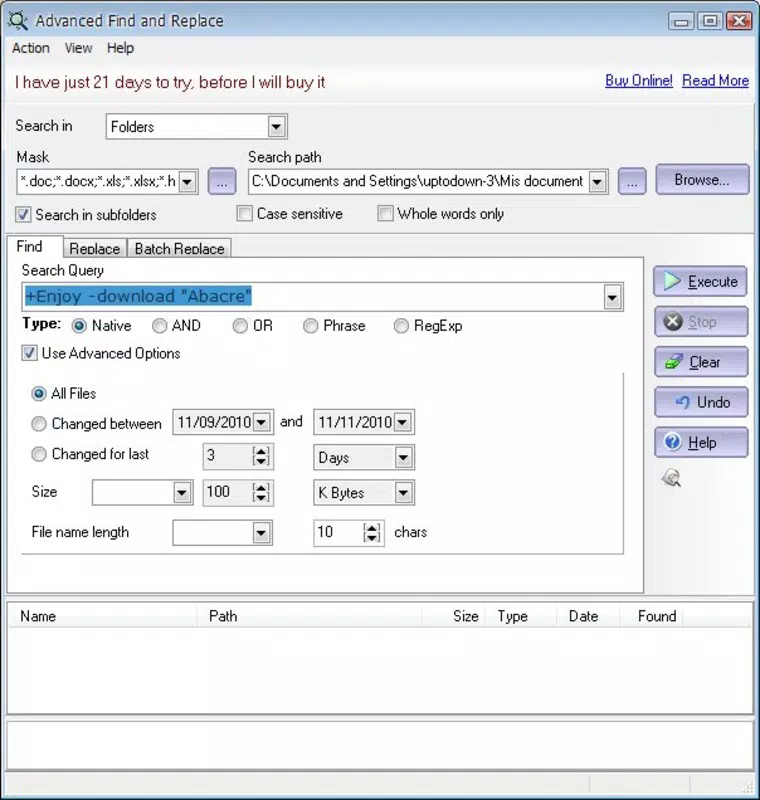
- Complex Search Parameters: Users can define multi-layered search criteria, including exact matches, wildcards, case sensitivity, and regular expressions. This allows for highly specific queries, such as finding all instances of a particular date format or identifying text within specific document sections.
- Office & Web Compatibility: The app supports direct search operations within common Office text files (e.g., .doc, .txt, .pdf) and enables content scanning across various websites. This dual functionality makes it ideal for users managing hybrid workflows that involve both local files and online resources.
- On-the-Go Editing: A built-in preview area allows users to edit content in real time while performing searches. Changes can be applied directly within the interface, minimizing the need to switch between multiple applications and reducing workflow interruptions.
- User-Friendly Tutorial: A step-by-step guide is integrated into the help section, providing context-sensitive instructions that walk users through setup, search configuration, and editing workflows. This ensures a smooth onboarding process, even for those unfamiliar with advanced search tools.
- Speed and Efficiency: The tool is optimized for rapid execution, delivering search results and modifications with minimal delay. This responsiveness supports high-throughput environments where time is a critical factor.
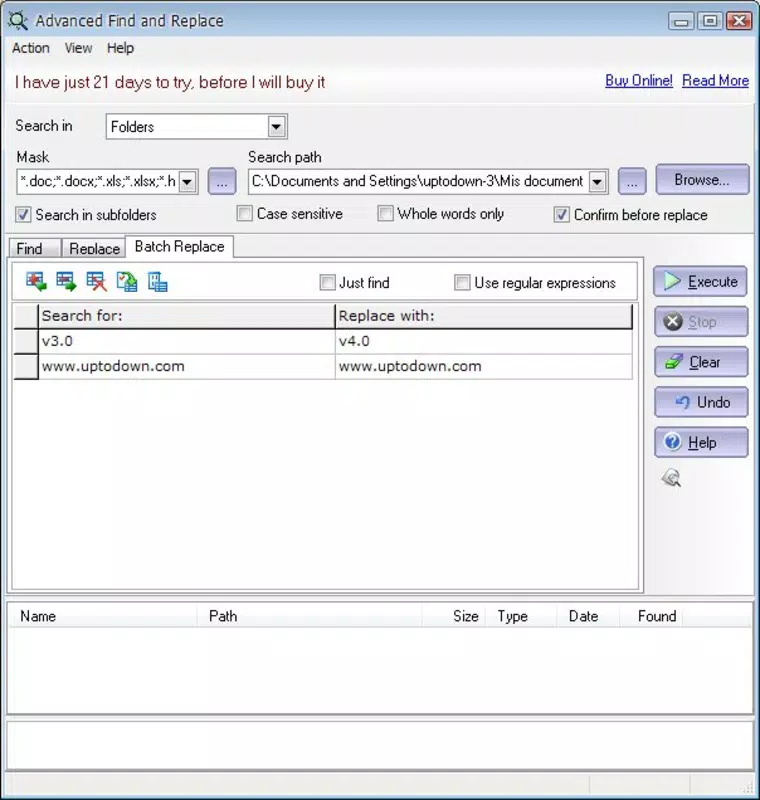
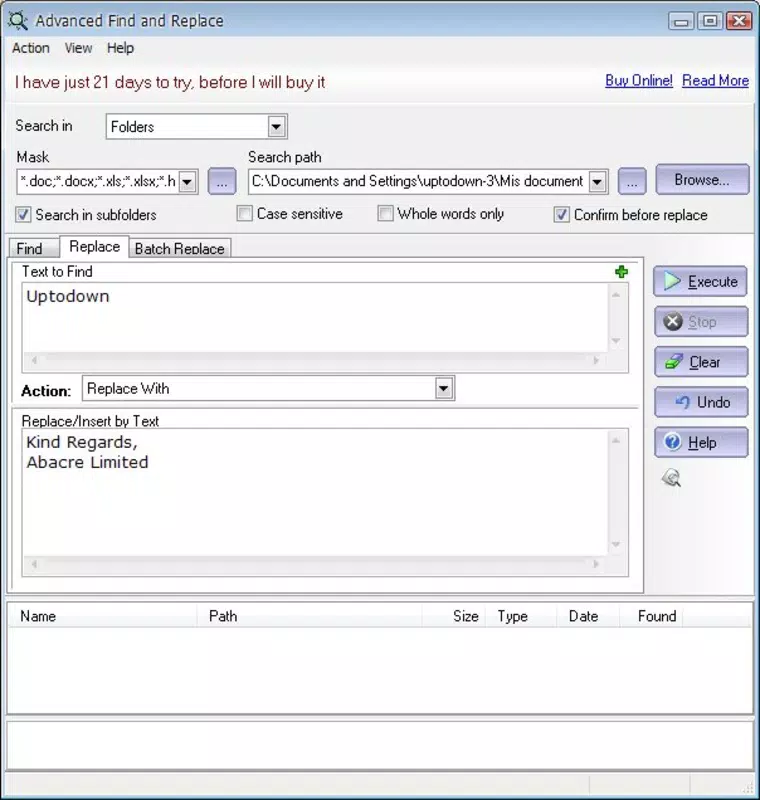
For example, a researcher could use the app to locate all mentions of a specific term across a folder of academic papers and update outdated references in one session. Similarly, a content creator might scan a website for outdated contact information and make immediate edits using the preview function.
Interface, UX & Performance
The app presents a clean, functional interface that prioritizes usability over visual flair. Navigation is structured around core tasks: setting search parameters, initiating searches, viewing results, and applying edits. The layout is intuitive, with clearly labeled fields and a logical flow between steps. Users can access the tutorial at any time, which enhances the overall learning curve.
Although the developer did not list formal performance metrics, the app’s lightweight size of 1.8 MB suggests it is optimized for efficient operation on a range of Android devices. It is likely to run smoothly on both older and newer models, though specific compatibility details were not disclosed. Responsiveness appears consistent based on its design, with minimal lag during search execution and editing tasks.
Stability is implied by the app’s long-standing release history, indicating that it has undergone sufficient testing to maintain basic functionality over time. Users can expect consistent behavior during typical use, though no formal error reporting or crash statistics were provided. The absence of known issues in public forums suggests reliable operation under standard conditions.
Platform Compatibility & Technical Requirements
Advanced File and Replace is available exclusively on the Android platform. The current version is 1.1, and the app occupies 1.8 MB of storage space. The developer did not specify minimum OS requirements or device compatibility details. As such, users should verify whether their device meets the necessary criteria before installation.
Given its release date of 2012, the app may function on older Android versions, but this cannot be confirmed without official documentation. It is recommended to check compatibility with your device’s operating system version prior to downloading. The app is offered free of charge, making it accessible to a broad audience seeking a no-cost solution for file and content management.
Pros and Cons
- Lightweight design with minimal storage footprint
- Supports both Office files and web content searches
- Includes an in-app tutorial for new users
- Enables real-time editing within search results
- Free to download and use
- No official documentation on OS version requirements
- Compatibility with modern Android devices is not confirmed
- Limited visual feedback during search operations
- Does not support cloud-based file integration
- App has not been updated since 2012
FAQ
Is Advanced File and Replace safe to install?
The app is available through trusted Android distribution channels and has been in use since 2012. No known security risks have been reported publicly.
Can I use this app on iOS devices?
No, the app is currently only available for Android. There is no iOS version listed.
Does the app require internet access?
Yes, internet access is required to search within websites. Local file searches do not require connectivity.
How often is the app updated?
The app has not received any updates since its release in 2012. The developer has not announced any future update plans.
Can I search for text in PDF files?
Yes, the app supports searching within common Office text files, including formats like .doc and .txt. Specific support for PDFs was not confirmed.
Final Thoughts
Advanced File and Replace stands out as a focused, efficient tool for users who need to locate and modify text across diverse content sources. Its ability to handle complex search parameters and support on-the-go editing makes it a valuable asset for professionals managing large document collections or monitoring web-based content. While the app’s age and lack of recent updates may raise concerns about long-term compatibility, its core functionality remains relevant for basic search and replace tasks.
For users seeking a free, lightweight, and no-frills solution for document management and content editing, this app delivers tangible benefits. Its tutorial ensures accessibility, and its minimal resource usage makes it suitable for older or lower-end devices. Despite its limitations, it continues to serve a niche but important role in the mobile productivity landscape.
Download Advanced File and Replace now


